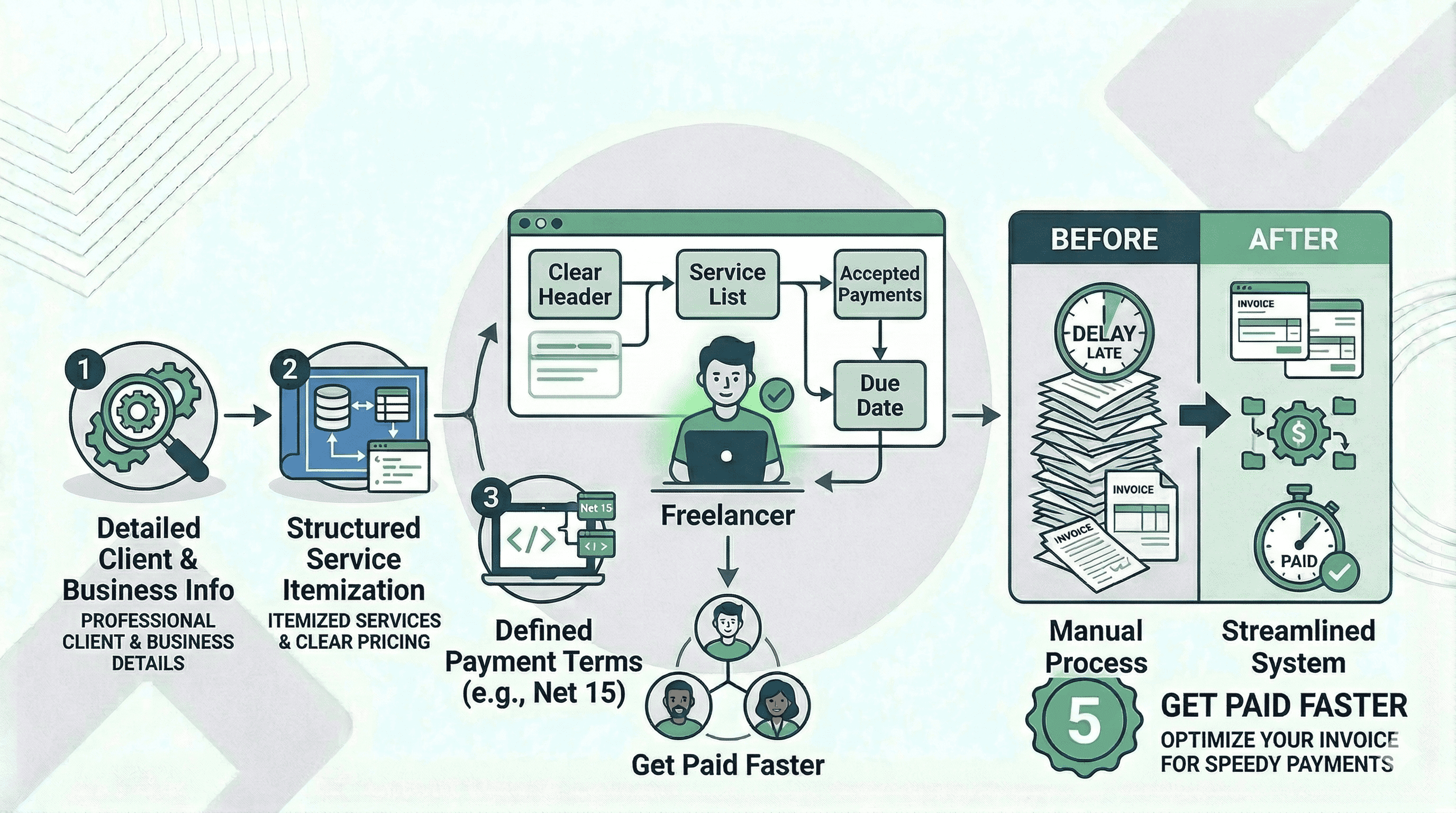
Getting paid should be the easiest part of freelancing. Many freelancers struggle with late payments, unclear invoices and missing billing details.
A professional invoice solves this problem.
A well-structured invoice tells your client:
- What work was completed
- How much they need to pay
- When the payment is due
- How they should send the payment
When invoices are clear and professional, clients pay faster and payment disputes become rare. This guide explains how to create a professional invoice, what details every invoice must include and how freelancers simplify billing using a free invoice generator.
What Is an Invoice?
An invoice is a formal document requesting payment for services or products delivered. For freelancers and small businesses, invoices are a payment request and a financial record for bookkeeping and taxes.
A professional invoice helps you:
- Track income
- Keep finances transparent
- Avoid payment confusion
- Document completed work
Many freelancers start by sending payment requests in emails or messages. This quickly becomes messy and difficult to track. Professional invoices provide structured billing records.
Why Professional Invoices Speed Up Payments
Clarity affects payment speed. Clients pay faster when an invoice is:
- Easy to read
- Professionally formatted
- Complete with payment details
- Sent immediately after work delivery
Poor invoices cause delays because clients ask questions about charges or where to send payment.
Professional invoices remove these friction points. Payments happen faster and fewer follow-up emails are needed. Using an online invoice generator keeps your formatting accurate.
Essential Elements Every Invoice Must Include
Professional invoices require specific components to be effective.
1. Your Business Information
Your invoice must show who is requesting payment. List your business name, email address and contact information. invoicemicro saves these details so they appear on every invoice automatically.
2. Client Details
Specify who the invoice is issued to. Include their name, company and billing email. This ensures the invoice is correctly assigned in the client's accounting system.
3. Unique Invoice Number
Each invoice needs a unique ID like INV-001. This helps both you and your client track payments easily and simplifies accounting. invoicemicro's automated numbering handles this sequence for you.
4. Invoice Date and Due Date
Include the issue date and the due date. Common payment terms are Net 7, Net 15 or Net 30. Clear deadlines encourage timely payments.
5. Service Description
Explain what work was completed. Use specific terms like "Website landing page design" instead of just "Design". Detailed descriptions prevent disputes.
6. Pricing Breakdown
Invoices should include a transparent pricing structure with line items for services, quantity, rate and total. This makes billing easy to verify.
7. Payment Methods
Clients must know how to pay you. Whether it is bank transfer, PayPal, Wise or Stripe, providing multiple options speeds up payments.
8. Payment Terms
Define your billing expectations clearly. Example: "Payment due within 14 days. Late payments may incur a 5% fee."
Step-by-Step: How to Create an Invoice
Follow this simple workflow:
- Step 1: Collect client billing information.
- Step 2: Create a unique invoice number.
- Step 3: Add a description of services delivered.
- Step 4: Calculate total payment due.
- Step 5: Include payment methods and due date.
- Step 6: Send the invoice immediately after work completion.
invoicemicro's free templates skip the manual formatting and generate a professional PDF in seconds.
Common Freelance Invoicing Mistakes
Avoid these pitfalls that slow down payments:
- Missing payment details: If clients cannot see how to pay you, delays occur.
- Vague service descriptions: "Design work" is unclear; use "Homepage UI design for SaaS dashboard" instead.
- No payment deadline: Without a due date, clients may postpone payment.
- Manual tracking: Managing invoices manually becomes difficult as you grow.
Simplifying Freelance Billing with invoicemicro
Manual invoicing in spreadsheets is inefficient. Freelancers need tools for fast invoice creation, tracking and tax records.
Tools like invoicemicro simplify the entire process. Instead of formatting manually, you can:
- Generate invoices fast: Create professional PDFs in under 60 seconds.
- Organize everything: Keep all client billing in one dashboard.
- Automate math: Stop worrying about calculation errors or duplicate invoice numbers.
Final Thoughts
Invoicing is an essential financial habit for freelancers. Clear invoices lead to faster payments, fewer misunderstandings and better tracking.
By following a structured process and using invoicemicro, you can focus on delivering great work.
Ready to get paid faster?
👉 Create your first professional invoice for free now — no complex setup, just professional results.
Ready to simplify your invoicing?
Join thousands of freelancers who use invoicemicro to get paid faster and look more professional.
Create Free Invoice